I’m setting up a webhook to be able to receive data, but when testing in postman i get 403. Any ideas how to fix this.
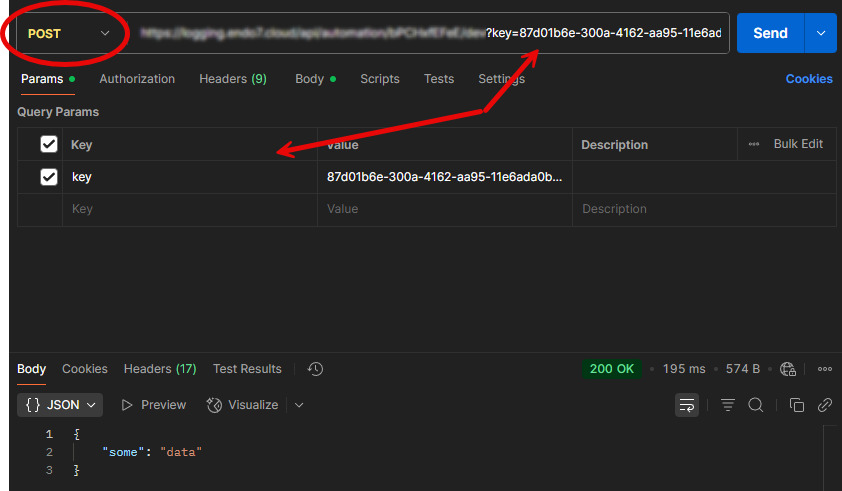
403 means unauthorized. I only got 403 as response when using GET. Make sure the Postman request is a POST request and includes the provided key:
1 Like
thanks yes it was exactly this mistake.
1 Like
BTW do you know mybe there is simplier way to directly query or update UI baker db?
If the goal is to query/update a DB in UIB from outside, a webhook would be the appropriate solution.
Technically, you could query directly to the DB, but I strongly advise against that. It’s also way more complicated.
Are webhooks, in your opinion, difficult or complicated?
What i need is to UI bakery to have some kind of API functionality where it can received payload and then respond with data as response. I’m using make.com it can add body to response of webhook. Here i do not see that possibility. How would you do if for a reason you would need to check status of a task in UI bakery database from outside.
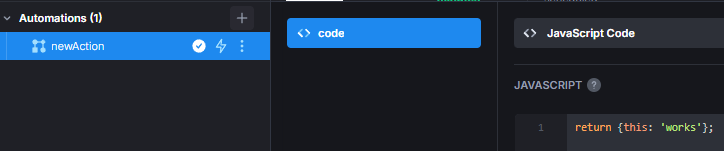
It is possible to respond with a body in UI Bakery.
For example:
If we have this webhook:
And when I send a request in Postman, this is the response I’ll get:
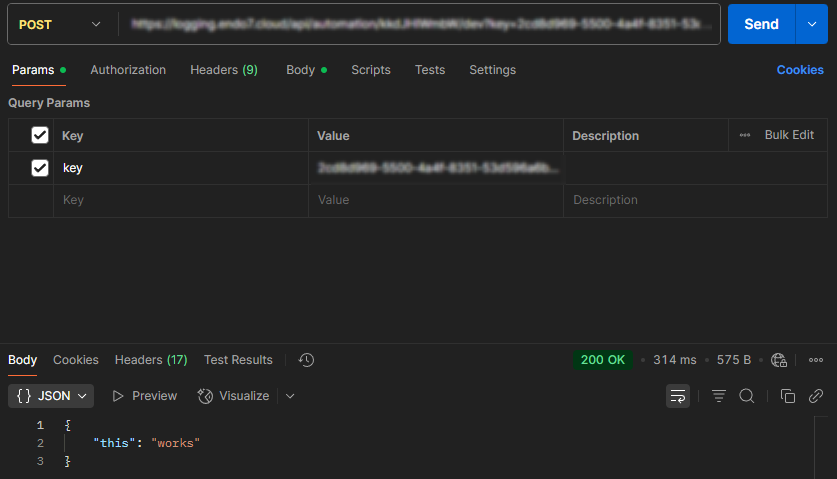
So whatever the action returns will be sent back as response. There’s only no body if you return either null, undefined or "".
And if you need data from an app, I think it would be best to save the data in a database, since the actions of the automation can query those.
Just saw that in the docs it also says
Automations can also be integrated with third-party systems using secured token-based webhooks allowing you to further extend their functionalities.
But I don’t know how you would do that.
2 Likes
And do you know why each internal database update is 2+s even if database is just few rows big?
Do you mean if you query it directly or from an action?
Either way, not quite sure about that; would need to know how the devs of UI Bakery implemented the integration. But I’m assuming because it’s not only doing the DB operations, but it’s a process like
Action Start → Trigger DB operations → Run DB oeprations → Gather results → Return results
And in between those steps are very likely scripts running, which gather/process information, check data, etc. It’s not just a DB operation; it’s a whole workflow, and in that sense it seems to be optimized pretty well.
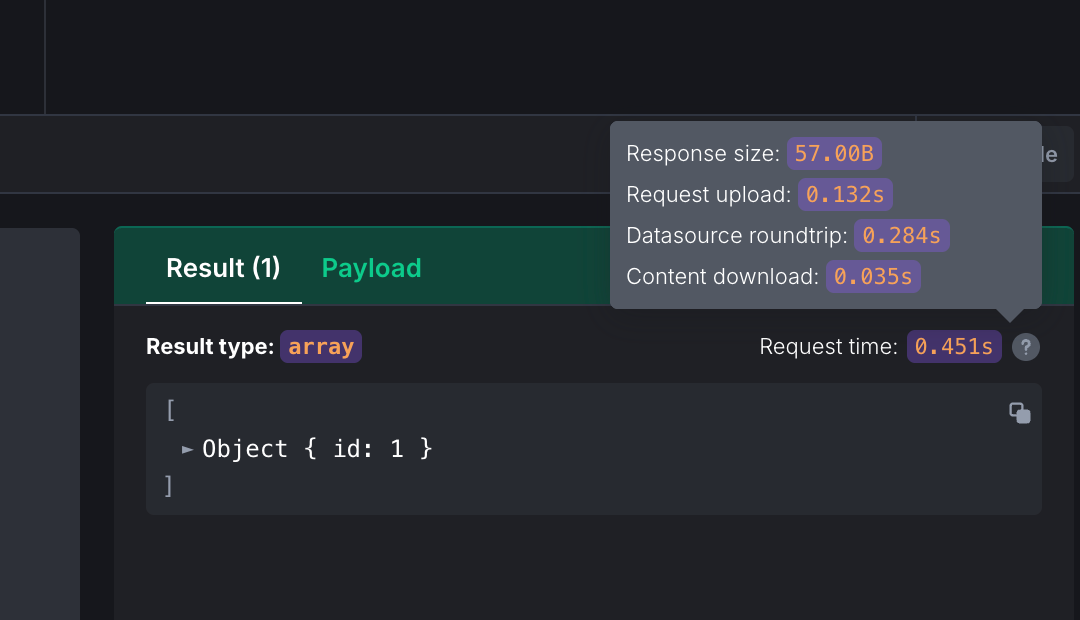
I tried in datasources a query to update record in table of UI Bakery database and it takes >2s.
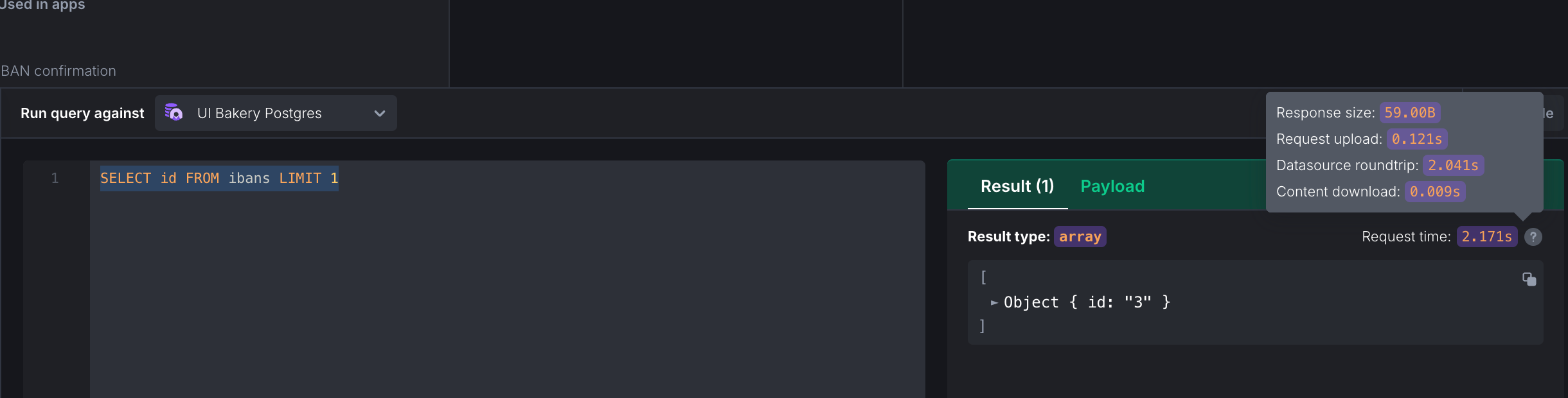
Wow, I didn’t know the times are listed there… thanks for that @ilya!
But yeah, this highlights very well that the main time-consuming thing is the roundtrip, which includes
- Time spent transmitting the query to the database server and returning the result
- Time the database engine takes to parse, plan, and execute the query
- Time needed to send the resulting data back to the application or web interface
And due to network latency and other stuff it may take those 2 seconds; nothing wrong with that. Just remember that you are not directly sending the query to the DB engine and getting the results directly from the engine.
1 Like
You’re welcome @Max !
However I think it is a problem as the app is working really slow when you work with internal database, especially if you do several queries to display interface or make a verification/change.
When I connect to my own external database it is still slow but 4-6 times faster than internal uibakery postgres which looks weird. As a user I would expect internal storage to be better/faster…
2 Likes
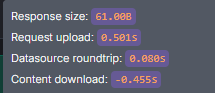
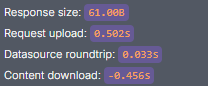
This got me wondering if I am seeing the same times as you guys. And the result is: no.
The results of a similar very simple query:
On-prem internal Postgres DB
On prem external DB
Cloud internal Postgres DB
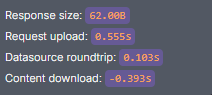
Couldn’t test external on the cloud version due to my firewall restrictions, but I imagine similar times.
This leads me to think that it could be the server where UI Bakery is running. The internal DB is also on the same server inside a docker container, so that might explain the loner roundtrip times.
1 Like
Thanks a lot for this!
As we’re using cloud, looks like we need to contact support to solve this issue.