When i go to my app, edit drag and drop components are being displayed briefly and then hidden.
I need to show it to be able to continue building my app. thanks
Hi @Up_Team
Could you please share a recording of the issue? It’s not clear from the screenshot, and we do not have access to your apps.
Thank you!
How do i share recording? I cant paste url of video
Hi @Up_Team,
You can use any platform that lets you upload and share videos.
One of the easiest would be YouTube and setting the video to “Unlisted.” That way, the video can only be opened by a shared link.
Other alternatives are easy to find, simply search for “video sharing” in any search engine.
youtu.be/UH9sjA25hGg please paste this link to your browser. Here is uploaded screen recording. i cant find drag and drop components which were previously on left side panel
I suppose what you mean is that in the menu on the left side:

there are not the usual buttons when creating a drag&drop app?

If so, that’s because you created a Custom App. The drag & drop components are only available when creating the “normal” App:
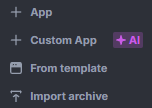
The point of the Custom Apps is to make it easier for people with little to no coding skills, only needing to describe the app they think of. It also makes it possible for people experienced with coding to “break free” from the defined components of the normal App and write their application from scratch inside the UI Bakery framework.
I don’t know the details, but it would definitely get messy mixing the provided components into the code of the Custom App, at least yet.
Maybe they could expand on the UI Bakery API to have default components to include in the code, but for now that’s not a thing.
If you want to add or change the Custom App, either the AI does it for you or you need to code it yourself.
2 Likes
Thank you @Max. You were faster to explain, but you are correct.
2 Likes
While we’re on the topic, the docs only mentions the UIBakery API when talking about the provided hooks under “Custom Components”.

Is there more to it than just the hooks? If not, is it planned to expand on it?
Thanks for explanation.My other team member built features with custom app and im trying to understand how to proceed with adding new features. In bottom left of screenshot it says chat is loading and its stuck on that for last 10 minutes. So my only option for adding new features is to manually create and add tsx files?
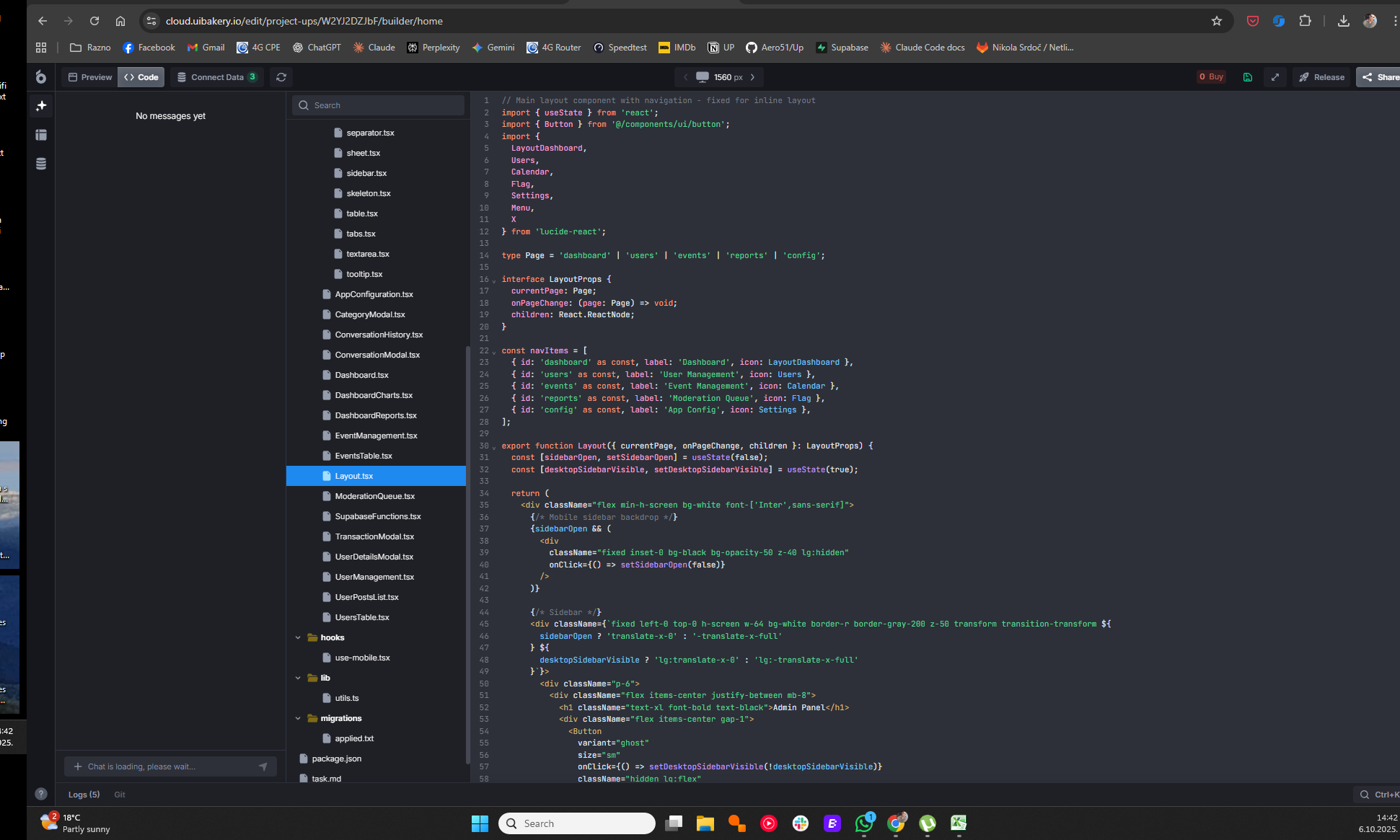
Mhm, that definitely is strange. If you worked a lot with the AI, it obviously has to load a lot of data. But if we’re talking 10 minutes, then something is stuck for sure.
If you can still write into the input, then you could try something simple, like changing a color or something, to test if it still works.
But, even if it were working like normal, you’re out of tokens, as you can see in the top right “0 Buy”.
So yes, the only option for the current situation is to manually write the code.