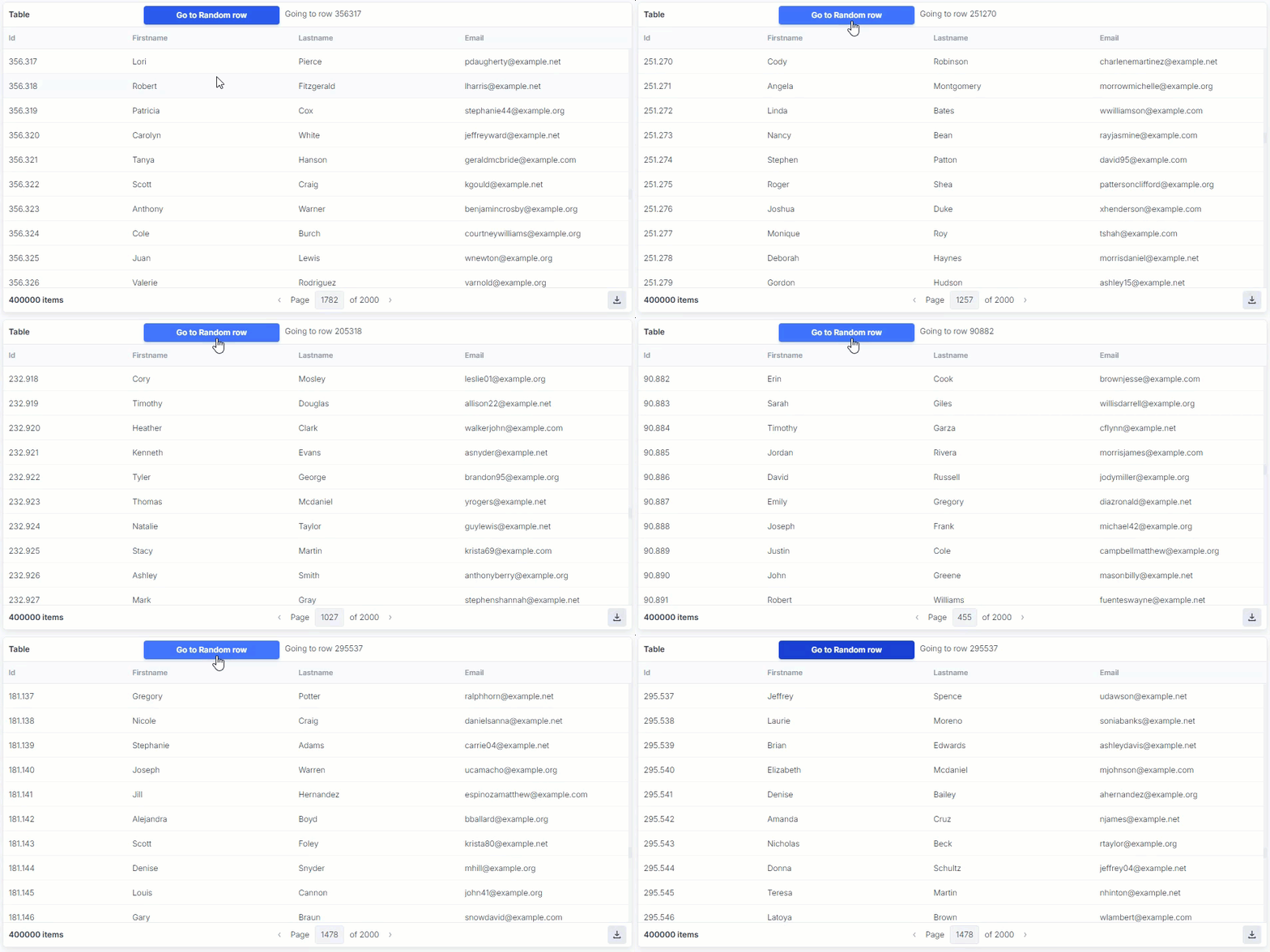
Currently the Table component doesn’t allow to control the viewport / i.e. to go to a certain line in the visible part of the table.
When you scroll down a big, paginated table the table will stay at the bottom when you switch to the next page. So you go from row 200 to row 400 (if page size is 200)
If you want to continue in row 201 you need to manually scroll back 200 lines !!!.
If you try to directly go to a certain line of a big table you can load the right page from the server, but the Table component won’t let you set the line to appear in the visible part of the table, so you end up scrolling through the page manually to spot the right line.
I’m asking for a function to set which slice of the table size is visible.
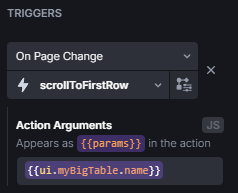
Add this action as On Page Change trigger to any table you want and set the arguments, which are passed to the action, to the table’s name like this: {{ ui.myTable.name }}. That way it’s always appropriately updated if the name gets changed:
Hi Max,
Thx for the feedback. In the meantime I’ve implemented a solution suggested by the awesome UI Bakery support which goes along a similar line, also based on a “on-page-change” trigger.
It’s working nicely, but right now only when paging down. I’m trying to understand how this is exactly working and how to extend when paging up, where I need to scroll the next page to the bottom.
But while the workaround seems to be feasible I think my feature request is very valid.
currentPage receives the index of the new page when paging up or down.
We save the scrolling element of the table as scrollBody.
A check is performed to see whether the index of the current page is greater or smaller than the previous index.
If current index > previous one, so, for example, we went from page 1 to 2, the script scrolls the table all the way to the top. So we went from row 200 to 201.
Otherwise, if current index < previous one, so we went from page 2 to 1, the script scrolls the table all the way to the bottom. That way you continue backwards from row 201 on page 2 to row 200 on page one.
Finally, the variable holding the index of the previous page is updated.
The reason this script is scrolling all the way to the top row when paging up is so the numbering of the rows is continuous.
The last row of the first page is 200:
id
name
lastname
…
…
…
200
Brittni
Sabben
Therefore, the row you want to see on the next page is the very first one on top with the id 201:
id
name
lastname
201
Jehnette
Jacobi
…
…
…
If you want it to always scroll to the bottom, regardless of paging direction and continuous row numbering, you can change that script to:
Can I mod this to scroll to a certain line ?
Our table can have like 400K lines (no joke :-)) and we want to “jump in” from another table with coarser data to drill into detail. From there we know exactly which page and line we want to see,
Certainly it is possible. Here’s something I wrote quickly as a first idea, but this can definitely be improved to remove the jump after the page change.
For example, if we use the script the UI Bakery team provided to you and modify it a bit:
// pageChangeTrigger action
const currentPage = {{data}};
const scrollBody = document.querySelector('.myBigTable .datatable-body');
if ({{!actions.jumpToRow.loading}}) { // added this line so it doesn't go to top/bottom when we want a specific item
  if (currentPage > state.prevPage) {
    scrollBody.scrollTop = 0;
  } else {
    scrollBody.scrollTop = scrollBody.scrollHeight;
  }
}
state.prevPage = currentPage;
return currentPage; // and added this so we can properly wait for it to be done
This can be used, for example, if we want to see the row 856 as {{ actions.jumptoRow.trigger(856); }}. It does make that little jump after switching pages because it needs to wait for the pageChangeTrigger action to be done. It can still be improved, but I currently don’t have the time, sorry!
EDITED
I had some time to check for a better solution, but I think the best way is the following:
Create a numeric State Variable, for example “setRow”.
Replace all occurences of testTable in the code with the name of your own table. Obviously also the names of the actions and state variable if different from the code.
This is similar to my unedited answer but doesn’t use new Promise and setTimeout in an evil way and is generally cleaner code-wise.
Usage is the same, select a page with the absolute row number like {{ actions.setRow.trigger(854) }}, the code figures out the page itself.
Many thanks for that.
However it’s not gonna work exactly like that for me, because my table is far bigger than page_size (More in the range of 400k lines), using server-side pagination.
I’ll check this out this week once I get my head over water.