I’ve got a gridView and two tables created using the native PostGRES through UIBakery. I created a foreign key linking one table to the other, and I’m now trying to display the foreign key linked record’s “title.” So far I’ve tried {{item.foreignkeyconnectionvalue.title}} and a few variations of this, but no luck so far. What am I missing?
Hi @neo,
I think I can help you, but there is little information to work with, so I have to guess/assume some things. Just correct me if I’m wrong.
My first guess would be that you are probably loading the table that has the foreign key with an action and feeding the resulting array to the GridView. If so, then the {{item}} will only have the actual values of each row passed as data.
For example, we have table A:
| book_id | title | author | year |
|---|---|---|---|
| 1 | My first book | Ben Jammer | 2014 |
| 2 | Cooking for rats | Remy | 2015 |
| 3 | Kids with guns | Gorillaz | 2009 |
And table B:
| id | book_id | finished_at |
|---|---|---|
| 1 | 1 | 2020-03-12 |
| 2 | 3 | 2018-12-19 |
And the column book_id in table B has a foreign key constraint to table A.
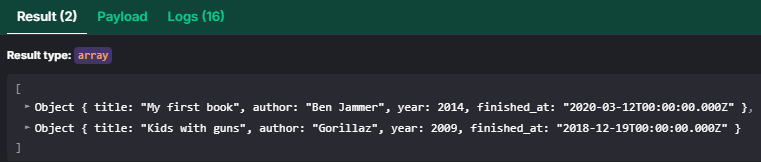
If we then load table B in an action like

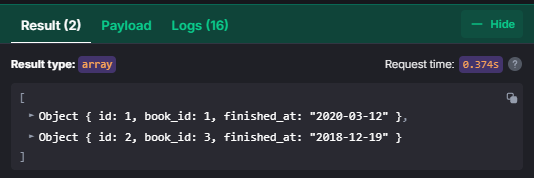
and set the Data of the GridView to this action:
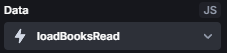
Then the {{item}} in the GridView settings is the same as each object we just loaded in the action; it only has these 3 values, foreign key or not. book_id is just a 1 and not a reference to the first row in the books table.
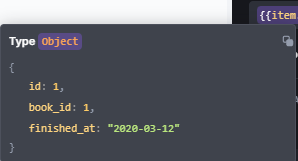
Instead, you either want to also load table A, merge the two arrays by book_id and pass that to the GridView, or you write a query like:
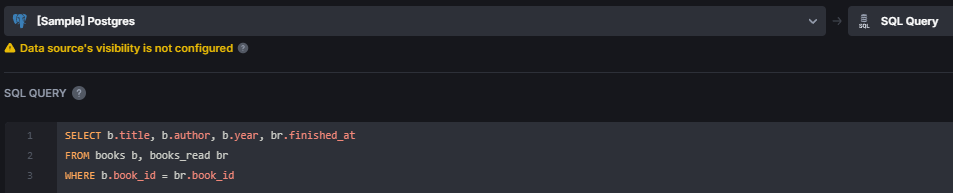
That way you can choose what columns from which table you need.
I think that’s what you asked? Hope this helps!
1 Like
Kind of. What would be the more “correct” approach?
The specific use is to replace a text box placed inside the gridview with the foreign key record’s “title” field value. The grid is showing all the “pages”, and the goal is to then use the foreign key from the grid values to find the title of the book.
I imagine this approach would also be the same for attempting to embed the same types of data in a “details” page created for when a user clicks on an item in the gridview?
I mean the principle of it is almost universally the same:
- Load the data of table A and populate the table/gridview/etc.
- When a user clicks on a row/card/etc., use the foreign key value of the selected row/card/etc. from table A to find and load a specific row of table B.
- Populate a different component (details component, other table, etc.) with the row data of table B.
This is the general way to do it. If you have questions about the technicality or implementation, just say the word 
If I run a SQL query through an init action, how do I pass a value from the returned data into the value?
Sorry, I don’t understand quite right. What exactly do you mean with
“…into the value”? Into the value of the GridView, into a value of a different query, …?
I’ll just list a couple of different approaches; hopefully one explains:
Pass data from a query in an init action into the GridView
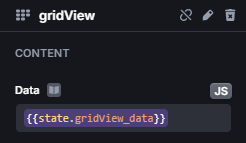
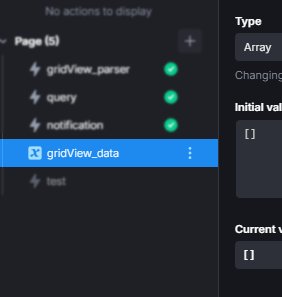
There are 2 main ways, either using an action or a state variable as Data setting of the GridView component
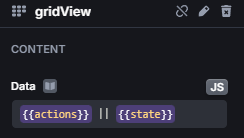
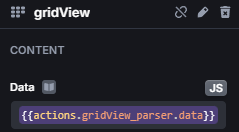
If using an action, I recommend making sort of an parser action. It checks and/or rejects/ignores invalid data passed to it, modifies it to the needed format, and then returns it, thus updating the component.
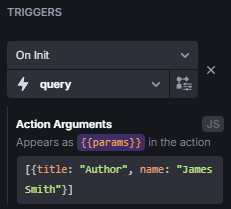
That way, you can run the action with the query as On Init trigger and then just pass the data to the parser:
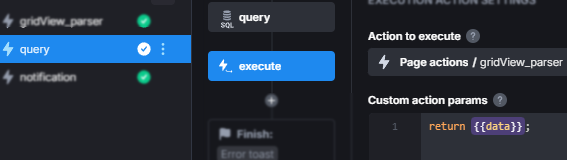
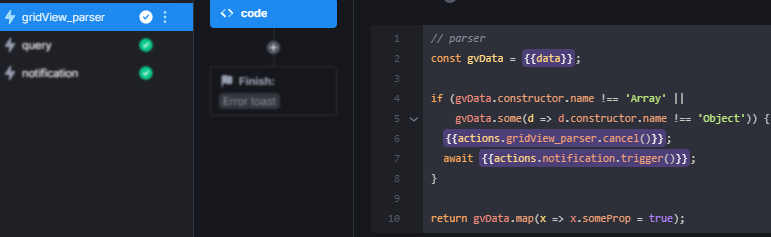
Using a state variable is similar, but rather than having an action to trigger with data, you can set the variable anytime, anywhere. So after the query, you can simply set the value to the state variable:
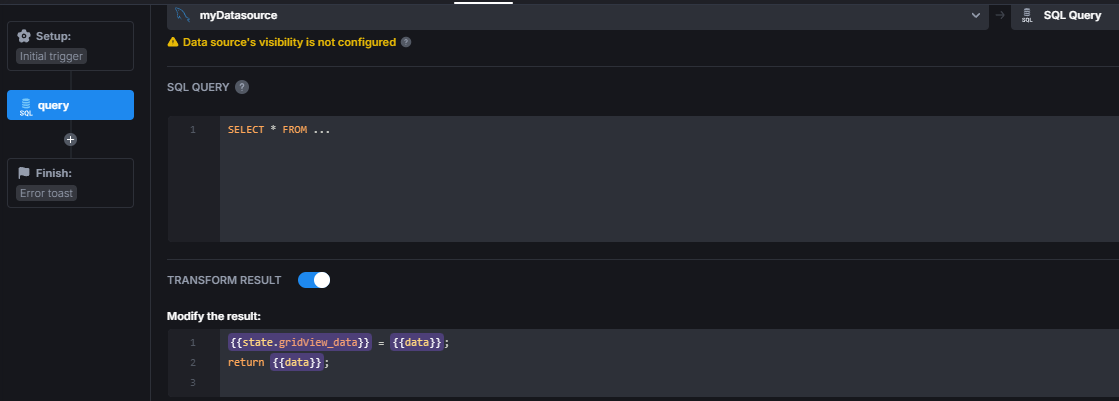
Pass data from a query to a different query
Generally, after a step in an action, you can pass the data in many ways or also read it in a later step. You can…
- … simply
returnit, and the next step will have the data as{{data}} - …
trigger(data)an action and pass the data like that - … get the data from an action, but this is only the data that the last step in that action returned
{{actions.someAction.data}} - … get the data from an previous step in the same action
{{steps.query_SELECT.data}} - …
trigger(data)an action and receive it’s dataconst gridData = await actions.runQueries.trigger(someData);
And there are probably more ways; these are the ones I listed off the top of my head.
Hope something here helped you; if not, I’ll need additional information on exactly what you want to do 
Sorry, I’m probably just confused on the triggers mechanic.
Inside of the gridview, in each “entry,” I added a text field. If I’m using that record’s data, I can just use {{item.field}} to get the record value. But I’m unsure the correct way, for each entry in the gridView, to return the foreign key linked’s table value it corresponds to.
I was trying to write an action which would be set to trigger per entry in the gridView using “On Init” to perform a SQL Query and to use that foreign key value to return the matching row in the other table, but I couldn’t get that to work. Regardless, if I was able to get a value returned for the Triggers > On Init action, how would I pass a value from the returned row to the Value box, since {{item}} only works for the local records pulled in the gridView, not values connected via foreign key?
Alright, just to get to the same understanding:
What you have is a GridView component where each card has the data of a row from table A and an empty text field. Each text field should then contain a value from table B, which is retrieved by the foreign key linking table A and table B.
What you tried is loading the rows of table A into the GridView and then, within the action of the On Init trigger, getting the corresponding row/value from table B and setting it for the empty text field value.
Is that correct?
If that’s the case, I would recommend getting both the rows of tables A and B, properly merging the needed data, and then loading that data into the GridView.
Sorry this is dragging on for so long, I’m just having difficulty understanding the whole situation.
No worries, and thank you for your time, I greatly appreciate it!
I was able to join the two tables and get that data working. The last thing I am trying to do is add an “onClick” trigger to take the user to a details page showing the entry in the grid.
I’m following this documentation, but it applies to tables. How would I pass the “id” query if I am using a gridView? I don’t have access to a “selectedRow” mechanic. How would I pass a value from the entry the user clicks on to the id query param (for a navigate action)?
Glad you made it work.
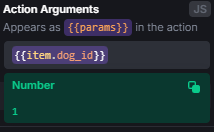
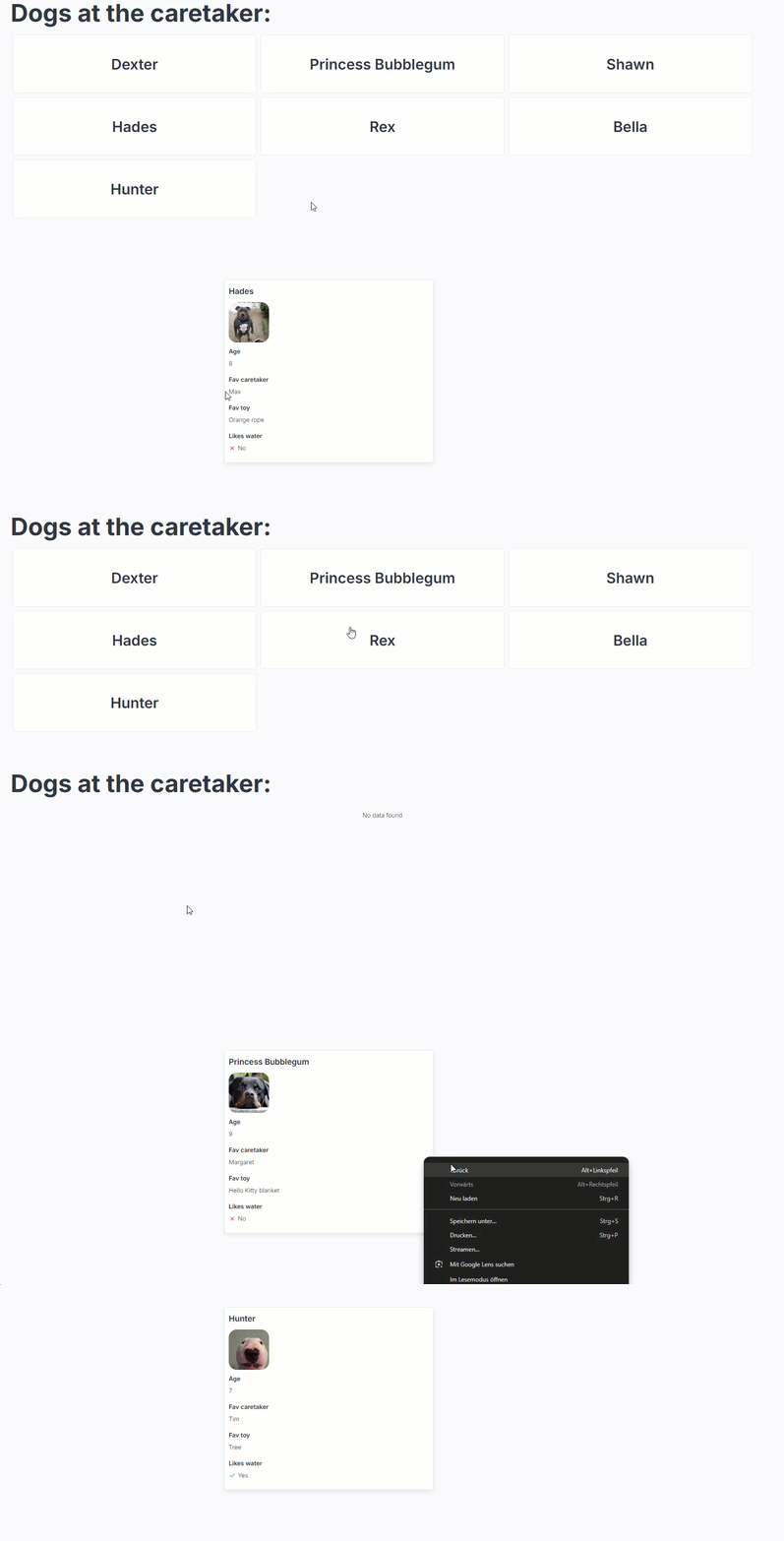
Passing the id is pretty simple. So in the Action Arguments of the On Click trigger, you still have access to the {{item}} variable:
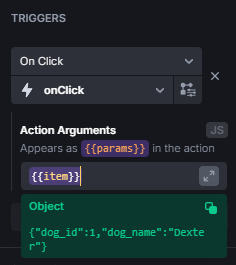
Changing that to id
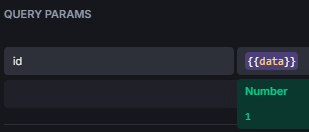
And you can simply add {{data}} as query param:
Lastly, getting the id from the query params in an action on the details page:

And all together works like this
1 Like
That worked, thank you for your help!
1 Like