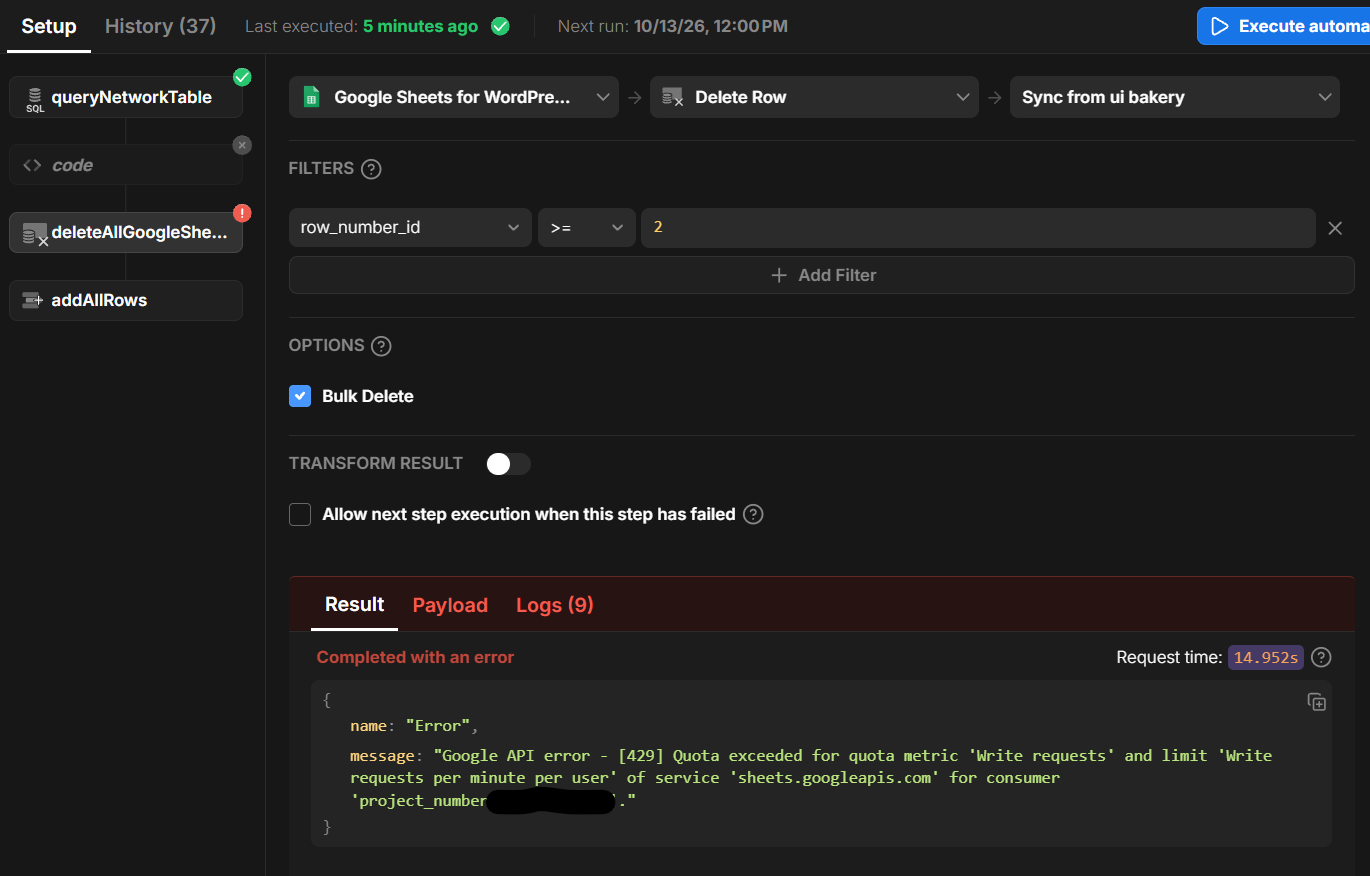
I’ve got a Google Sheet that I need to keep periodically updated with data from the native UI Bakery db. It has 300+ rows of data, so when I’m just trying to clear the existing Google Sheets so I can overwrite it with new data, the Google API errors out with the following:
[429] Quota exceeded for quota metric ‘Write requests’ and limit ‘Write requests per minute per user’
I understand that anything greater than 60 requests per second will lead to this. Is there anyway to just have the UI Bakery data source automagically clear the sheet in one request?
UI Bakery’s Bulk Delete currently deletes matching rows individually, so clearing 300+ rows can exceed Google’s limit of 60 write requests per minute.
As a workaround, you can clear the required range with a single Google Sheets API request using the values.clear endpoint:
POST https://sheets.googleapis.com/v4/spreadsheets/{spreadsheetId}/values/{range}:clear
For example, clearing Sheet1!A2:Z preserves the header row and removes all existing data values in one request. You can call this through an authenticated HTTP API datasource in UI Bakery, then run the Bulk Create action to add the updated data.
Please note that Google’s quota is 60 write requests per minute, not per second.
Adding to Kate’s workaround: if you need the rows actually removed rather than just emptied, spreadsheets.batchUpdate with a single deleteDimension request (dimension ROWS, startIndex/endIndex for the range) deletes them in one write call. For the refill step, values.batchUpdate or one values.update on the whole range also keeps it to a single request instead of one per row, so the 60 writes/minute limit stops being an issue.
This is great, and I appreciate the detailed help!
I got it to work…kinda.
As of now I’m using a an OAuth2-authenticated HTTP API data source in UI Bakery Cloud to connect to the Google Sheets API. My token details consistently show refreshToken: null and expiresIn: ~3599.
From what I can understand, Google requires access_type=offline on the initial authorization request to issue a refresh token. The UI Bakery configuration exposes additional parameters for the access-token request, but not for the authorization request.
How can I configure the data source to send access_type=offline (and, if needed, prompt=consent) on the authorization URL so the connection can refresh automatically for automations?
UI Bakery keeps those query parameters and adds the client ID, redirect URI, scopes, state, and response type automatically. Don’t add access_type or prompt under “Additional params for Access Token request”—Google requires them on the authorization request.
Then:
Ensure Authorization Code Flow is selected.
For automations, leave Require personal user token unchecked.
Disconnect the existing authorization.
Save the updated URL and reconnect to Google.
Confirm the new token details contain a non-null refresh token.
Google normally issues the refresh token during the initial offline authorization. If it remains null, revoke the application’s existing access in your Google Account and reconnect so Google treats it as fresh consent. Google documents this behavior in its OAuth 2.0 web-server guide.
One additional consideration: if the Google OAuth consent screen is in Testing mode, refresh tokens for external users may expire after seven days. Publishing the OAuth app to Production avoids that testing limitation.