I’ve created a custom component (a filter button) inside a module in UI Bakery. When I first load the application, the button renders correctly on the page.
However, after navigating to other pages in the application and then returning, the button is no longer visible.
Has anyone faced a similar issue? Is there something specific I need to do to make sure the custom component in the module stays rendered after page navigation?
Any suggestions or workarounds would be greatly appreciated!
I have an onData action where I execute some JavaScript ({{data}}), and at the end, I run a setSortValue action with this code: {{ui.customComponent.value}}.
Would you mind having a look at my custom component code? I have a feeling I might’ve messed something up there.
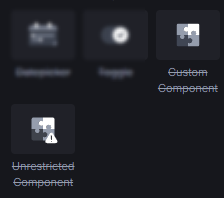
For me, it didn’t work whatsoever with Custom Component, only with the Unrestricted Component.
Furthermore, looking through the code, it looks fine; I couldn’t spot any immediate issues with it.
I quickly build something similar to what you describe, using the code you provided. An Unrestricted Component inside a Module and the only trigger I added was on the Unrestricted Components On Event trigger to push the value with {{module.triggerEvent(value)}} outside the module.
With the module set up, I placed it in an app and changed the pages, but nothing seems different?
If you could share a video or something of the incorrect behavior maybe I’ll notice something.
Thank you so much for taking the time to look into it and even recreate the setup — I really appreciate it!
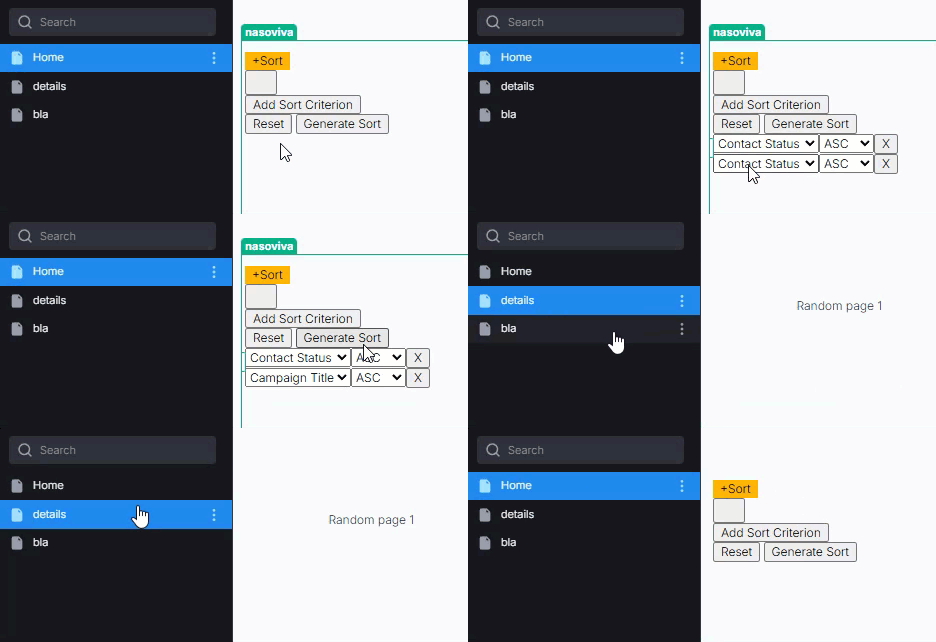
I’ve recorded a short video to show what I’m seeing on my side. The sorting itself works as expected, but as soon as I change the page, the component disappears completely — and that’s the issue I’m currently stuck with.
If you have a chance to take a look at the video, I’d be very grateful for any thoughts or suggestions you might have.
Thanks for sharing a video. Sadly, I couldn’t see anything of interest.
I’ve tried to copy the CSS, thinking that could have an issue, but also no.
But since the button doesn’t show when loading the page, this points very likely to some runtime error. When a page loads, all of its contents are loaded fresh. Then, when you change pages, all components are unmounted and the components of a different page are mounted. So I assume there must be some error during the init phase of the component.
I recommend you to:
check the devtools console for any errors
look through the functions, actions, etc. that automatically run on startup when the page is loading
sporadically place console.log() in the functions, actions, etc. that run on startup to see if it stops anywhere or if a variable has an invalid/unwanted value
And since I still was unable to replicate the issue with most of the code of the custom component, the problem is very likely in one of the trigger actions. Or a different component/code interferes in some kind of way.

 don’t hesitate to ask further if you still can’t find it