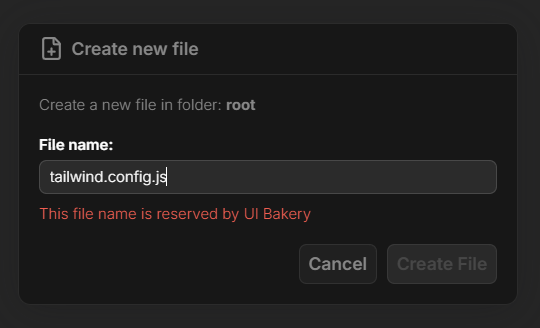
We intentionally hide tailwind.config.js and don’t allow editing it in custom components, but it is still created internally, so this error should not occur.
We were not able to reproduce the issue on our side. In your apps, we can only see [Sample] Postgres, and there are no errors there.
Could you please:
Share more details: in which app/component does the error occur?
Any apps associated with this account are from an evaluation period before formal adoption of UI Bakery for a project. Due to how account associations and projects are handled, I had to make a new account in order to join the production project after evaluation. I’ve linked that account in case you can see that somehow.
It seems stuff has changed between the original post and this followup, so I don’t know what exactly happened anymore. One thing that seemed to help was to manually update the packages.json file using the versions in new custom components, but I do not know if that was the actual fix, or if any update that materially changed the custom component triggered some fix implemented on the UI Bakery side, or if it was just something intermittent.
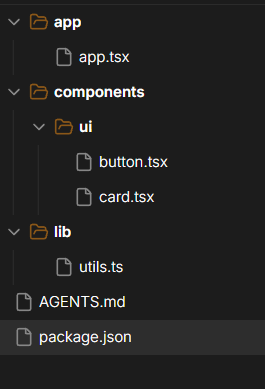
So when I first encountered the issue, the only thing that worked to get the custom components to load in an app in edit mode was to export the custom component and manually create a tailwind.config.js file in the root, then import that. Obviously I couldn’t see the tailwind file in the custom component editor, but it did cause it to show up in the list of paths passed to the validation function. I replicated the tailwind.config.js that should have been there so everything look correct, but obviously this is brittle and ill-advised. Not only do I have an unknown state internally at that point, from my perspective as an end-user, but I’d also have to replace every instance of the old custom component. We had a demo the next morning, so I was prepared to do so if necessary, but fortunately it seems ok now.
Hope that helps! Also, I hope UIB never tries too hard to obfuscate internal functions - it is very helpful to be able to see how certain things work so I can identify whether issues encountered are something I can do something about.