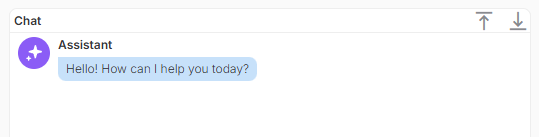
It would be great if:
- A button could appear to “Scroll to Bottom” or “Scroll to Top”
- If we could toggle a setting to have the chat element automatically scroll to the bottom or top as a default position on loading messages.
It would be great if:
Hi @Amy_Domitrovic!
“Scroll to bottom/top” buttons are never a bad idea, but I don’t really see the advantage of specifically scroll to top on loading new messages. It already does scroll to the bottom when a new message is received, so unless you invert the order of messages in the chat, I don’t see the advantage of it automatically scrolling to the top.
Regarding the scroll buttons, you could already add that yourself if you need them now:
add 2 components you want to act as buttons. Those could be either Buttons, Tags, Icons, Text, anything with a trigger for clicking really. For example, I’ll be using 2 Icons

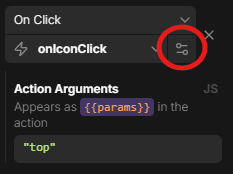
Create a new action with a single JavaScript step. This is the whole code you need for this
const chatComponentName = {{ui.chat.name}};
const scrollContainer = document.querySelector(`.${chatComponentName} .scrollable`);
const scrollOpt = {behavior: 'smooth'};
if ({{data}} === 'top') {
 scrollOpt.top = 0;
} else {
 scrollOpt.top = scrollContainer.scrollHeight;
}
scrollContainer.scrollTo(scrollOpt);
Make sure the correct component is used in the first line.
And if you want it to be instant, instead of the smooth scrolling, simply delete the behavior: 'smooth' part inside the curly brackets.
"top" and "bottom" respectivelyAnd that should already be working!
Technically, if you’d like to, you could also place the components used as buttons in the header of the chat like so:
const chatHeader = document.querySelector('.chat .header');
const newHeaderContent = document.querySelector('.flexContainer').closest('ub-grid-item');
chatHeader.replaceChildren(newHeaderContent);
combined with a little bit of CSS:
<style>
  .chat .header {
  	height: 24px;
  }
  ub-grid-item:has(>*>*>.flexContainer) {
  	width: 100%;
  }
</style>
Let me know if you need help with any of that, cheers!