Hi @userportfolio,
Firstly, there is no function or similar that can do that natively. Even though the description of the cancelBulkEditing() method provided for tables says:
Dismisses edited rows and closes bulk editing mode
Which I would interpret as “Changes are thrown away and bulk editing mode is closed”.
Now, the possibilities to do this manually are few. The changes are only thrown away/reset if the data is updated. The way that’s the most invisible and automatic is using an empty column in combination with an action that uses Reactive trigger:
Step 1
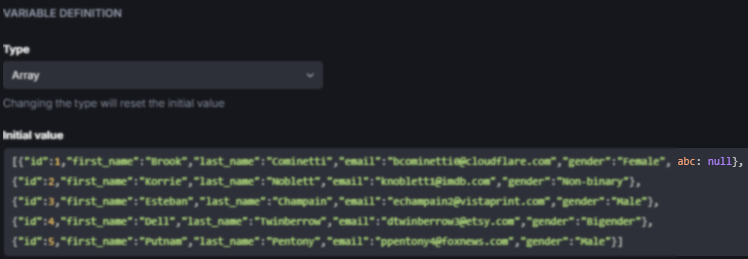
Make sure that at least 1 entry has an extra property that has no use.
So, if we only have a static table where the user can edit rows but not add them, add this random property to 1 or all entries. For example, I added this random property to the first entry in my state variable:
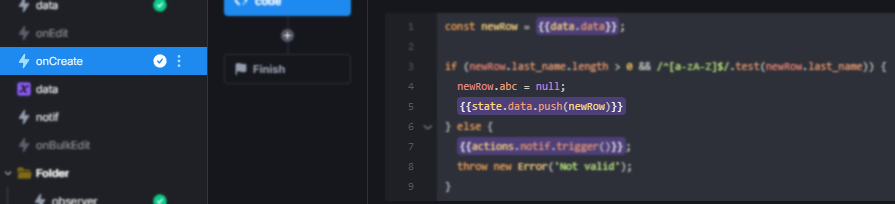
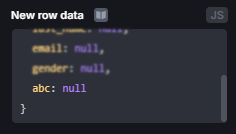
Or if the user can add rows, simply add this property, either in the action executed by the On Create trigger or in the New row data setting of the table, to new entries:
Step 2
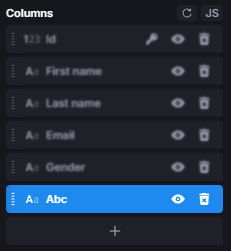
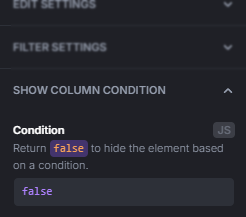
Add a new column to the table and hide the column with the SHOW COLUMN CONDITION setting or by clicking the eye symbol next to the column:
Step 3
Create a new action, select JavaScript Code as the step type, and paste this code:
if ({{!ui.table.isBulkEditingOpen}} && {{state.myStateVar.length}}) {
    {{state.myStateVar[0].abc = !state.myStateVar[0].abc}};
}
And of course, change table to the name of your table and state.myStateVar to the Data source of your table.
Finally, enable Reactive trigger, run on components’ changes in the settings of the action:
One thing to consider is what happens when the user submits instead of canceling the bulk editing. From what I’ve tested, as long as you’ve set up an On Bulk Edit trigger that updates the Data source, it will run before the action we just created and therefore shouldn’t be an issue.
If you want to set this up for multiple tables, simply follow the same setup again. You can even put everything in a single action like:
if ({{!ui.table.isBulkEditingOpen}} && {{state.myStateVar.length}}) {
    {{state.myStateVar[0].abc = !state.myStateVar[0].abc}};
}

if ({{!ui.table2.isBulkEditingOpen}} && {{state.myOtherStateVar.length}}) {
    {{state.myOtherStateVar[0].abc = !state.myOtherStateVar[0].abc}};
}
But if you don’t like the other tables reloading as well, you can of course also put each one in its own action.